What Is Google CC AI Agent and How Does It Work for Families?
 By Inflix
 Google wants AI to help organise the household, not just answer questions — and its experimental CC agent can now work with up to six people at once.
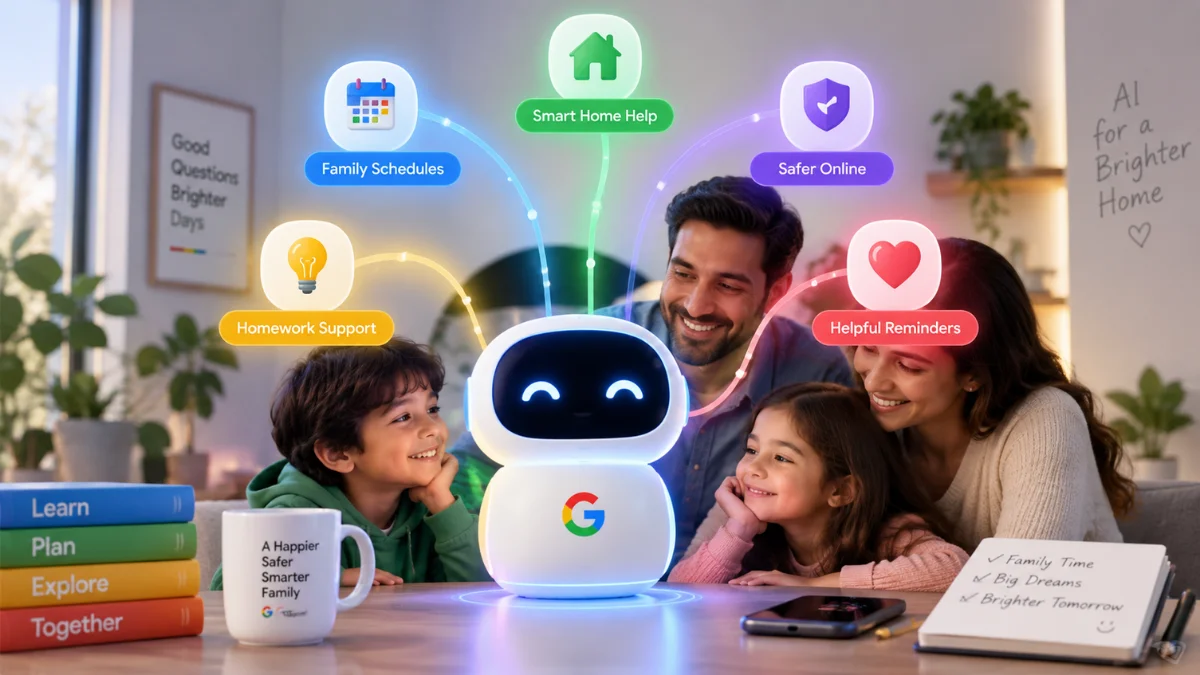
Google has expanded its experimental CC agent from an individual productivity assistant into an AI agent for families and households. Announced by Google Labs on 17 September 2026, the new experience can coordinate information from multiple household members, helping with calendars, tasks, school paperwork, shopping, meal planning and everyday schedules.
The Google CC AI Agent is different from simply opening Gemini and asking a question. CC gets its own verified Google Account, can receive information from household members and can work on multi-step tasks using Google services and the web.
However, this is still an early experiment rather than a worldwide Google product. Access currently has important age, account and regional restrictions.
For readers following Mobile Verse Google AI updates, here’s what Google CC actually is, what families can do with it and how Google is approaching privacy when several people share one AI agent.
Google CC AI Agent: Quick Overview
| Detail | Information |
|---|---|
| Product | CC |
| Developer | Google Labs |
| Product type | Experimental personal/household AI agent |
| Latest expansion | Family and household collaboration |
| Household size | Up to six people |
| AI technology | Gemini models |
| Core services | Gmail, Calendar, Drive, Tasks, Google Chat and web information |
| Daily feature | Your Day Ahead |
| Current region | United States |
| Minimum age | 18+ |
| Account requirement | Personal Google Account |
| New-user access | Waitlist |
| International release | Not officially confirmed |
| Price | Google has not announced separate general pricing for the family experiment |
What Is Google CC AI Agent?
Google CC is an experimental agent from Google Labs designed to organise information and complete useful everyday tasks.
Google originally introduced CC in December 2025 as an individual productivity agent. It could use information from services including Gmail, Google Calendar and Google Drive alongside information from the web to prepare a personalised daily briefing called Your Day Ahead.
The idea has now expanded.
Instead of CC working with only one person’s information, Google is turning it into a shared agent that can assist a household. Up to six people can participate, allowing CC to understand shared plans while also handling information supplied by individual members. That makes it an interesting development for Mobile Verse AI agent coverage, because Google is exploring an AI assistant designed around a group rather than simply giving every family member an independent chatbot.
What Can Google CC AI Agent Do for Families?
The main purpose of the Google CC AI Agent is to reduce the amount of manual coordination involved in running a household.
Think about a family with school events in one email inbox, appointments in another person’s calendar, a permission slip saved as a PDF and several activities planned for the weekend. Normally, somebody has to collect all that information and organise it. Google wants CC to help with that work.
Among the examples Google has provided, CC can help families:
- Prepare a shared Your Day Ahead briefing.
- Coordinate calendars, events and tasks.
- Work with emails that household members choose to share.
- Receive information through email and Google Chat.
- Use shared Google Drive files and folders.
- Help complete permission slips and registration PDFs.
- Build school-supply shopping lists.
- Create weekly meal plans.
- Check driving times between activities with Google Maps information.
- Create shared Google Docs and Sheets.
These examples show why Google calls CC an agent rather than simply another conversational AI product. The goal is not only to answer “What do we have planned tomorrow?” but also to bring the relevant information together and help organise what happens next.
How Does Google CC Work for a Household?
One unusual part of Google’s approach is that CC gets an identity of its own.
Google says every CC has its own verified Google Account. Household members can therefore interact with the agent much like they would communicate with another participant in their digital lives.
People can send CC emails, images and other information. They can also interact with it through Google Chat and share supported Drive content.
This structure means CC does not need every household member to hand over unrestricted access to everything in their personal Google Account.
Instead, each participant controls what they choose to share with the agent.
For ordinary users following Mobile Verse Google technology coverage, that distinction is important. A shared family AI needs information from several people to become useful, but that does not mean every person should automatically expose their entire inbox or digital life to everyone else.
What Is Your Day Ahead?
Your Day Ahead is one of CC’s central features.
The feature began with the original version of CC and produces a personalised morning briefing based on information relevant to the user. Instead of checking multiple Google services manually, a person can receive a summary of what needs attention. The household version extends that idea to shared family life.
CC can use shared calendar information, tasks and other relevant context to produce a household briefing. This could include upcoming appointments, school activities, things that need completing, and other information relevant to the day. The practical benefit is straightforward: rather than asking several people what is happening, CC can help create a central overview from the information the household has chosen to share.
Google CC Can Help With School Forms and Family Admin
School paperwork provides one of Google’s clearest examples of what an agent can do differently from a chatbot. Families regularly receive permission slips, registration documents and other PDFs that require information from different places.
Google says CC can help complete permission slips and registration PDFs. Because the agent can work with information that household members have shared with it, users may not need to manually locate and re-enter every detail each time. This does not mean families should stop checking forms before submitting them. AI-generated or automatically populated information can still contain mistakes. Instead, CC can handle part of the repetitive preparation while the user remains responsible for reviewing important details.
Google CC Can Create Shopping Lists and Meal Plans
Household planning extends beyond calendars and paperwork. Google says families can use CC to create school-supply lists and prepare weekly meal plans. Because CC can build shared Google Docs and Sheets, the resulting information can become something the household can continue using rather than disappearing inside an AI conversation.
That may make the agent particularly useful for recurring household tasks. For example, a family could share relevant preferences and ask CC to help organise a weekly meal plan. The agent could then create a document that family members can review and adjust. The important point is that CC can turn information into a shared resource, not simply generate a text response.
Can Google CC Check Travel Times?
Yes. Google says CC can use live Google Maps driving times when helping households organise activities. This could become useful when several events appear on the same day. A calendar may tell a parent that one activity finishes at 4pm and another starts at 4.30pm, but the times alone do not reveal whether travelling between them is realistic.
An AI agent with access to relevant schedule information and current journey times can provide more useful context. This type of integration illustrates the broader shift covered in Mobile Verse artificial intelligence news: AI assistants are increasingly combining information from several services instead of treating each prompt as an isolated question.
Can Google CC Read Everyone’s Gmail?
Not automatically.
This is one of the most important details about Google’s household implementation. Google says each person controls what they share with CC. Users do not simply give the household agent unrestricted access to their entire inbox when they join the group. Instead, household members can send information directly to CC or configure selected information to reach the agent.

What Does Google CC Remember?
The household version of CC builds shared memory over time. However, Google says the system can distinguish between information that applies to the household and preferences associated with a particular person. That could matter in simple situations such as food preferences.
A household may share certain general routines, while one family member could have an individual preference that CC should consider only when it applies to them. This type of persistent context is one of the characteristics that separates personal AI agents from basic question-and-answer systems.
A traditional chatbot often needs the user to provide context repeatedly. A personal agent becomes more useful when it can retain relevant context and apply it appropriately later.
How Does Google CC Actually Work Behind the Scenes?
CC uses Google’s Gemini models, but the system involves more than simply sending household information to a Gemini chat window. Google says each CC operates on an isolated cloud computer. The agent uses Google’s Antigravity agentic harness alongside Gemini models to carry out tasks. In simple terms, the AI can work through a sequence of actions rather than generating only one response.
A user provides a goal. CC determines what information and tools it needs, works through the necessary steps and returns the result. That is the essence of agentic AI.
The distinction is becoming increasingly important as Mobile Verse AI coverage follows products such as Meta’s Muse and Anthropic’s specialised Claude tools. Major AI companies are moving beyond chat interfaces towards systems that can work across services and perform multi-step tasks.
Google CC vs a Normal AI Chatbot
The difference becomes clearer when the two approaches are placed side by side.
| Traditional AI Chatbot | Google CC |
|---|---|
| Primarily responds to individual prompts | Can work towards ongoing household goals |
| User often supplies context manually | Can use information household members choose to share |
| Usually centred on one user’s conversation | Supports a household of up to six people |
| Generates answers and content | Can organise information and perform supported tasks |
| Limited shared memory between people | Can build household context |
| Often operates mainly inside a chat interface | Can work with supported Google services and web information |
Modern chatbots increasingly include agent-like features, so the boundary is not absolute. However, Google is explicitly experimenting with CC as an agent that can organise information and act across different parts of a user’s digital life.
Is Google CC the Same as Gemini?
No, although Gemini technology plays an important role. Google says CC uses Gemini models to power its AI capabilities. However, CC is a Google Labs experiment with its own agentic architecture, Google Account and household-oriented experience. There is another connection between the two products.
In May 2026, Google brought the original individual CC experience into the Gemini app through Daily Brief. That feature builds on the idea of proactively presenting relevant information rather than waiting for the user to ask individual questions. The new household version of CC goes further by introducing collaboration between several people.
So it is more accurate to describe CC as an agent powered partly by Google’s Gemini technology than to call it simply a renamed Gemini chatbot.
Who Can Use Google CC for Families?
Availability is currently one of the biggest limitations. Google says the household version remains an early Google Labs experiment. It is currently intended for people aged 18 or older in the United States who use personal Google Accounts. A household can include up to six participants.
Existing CC users are receiving information about upgrading to the new group experience. People who do not already have access can join Google’s waitlist. That means the Google CC AI Agent is not currently a generally available family assistant for users worldwide.
Google has not announced a confirmed date for a UK or broader international rollout.
Is Google CC Free?
Google has not announced a separate general consumer price for the newly expanded household CC experiment in the material describing its September rollout. Because access currently operates as an experimental Google Labs programme with a waitlist, it would be misleading to describe CC as a fully launched paid or free global product without qualification.
Google could also change access requirements as the experiment develops. Therefore, prospective users should check the current Google Labs CC page when they receive access rather than assuming future availability or pricing will remain the same.
Can Children Use Google CC?
Not directly under the current eligibility requirements. Google says participants in the experimental household experience must be 18 or older. That is an important distinction given the product’s family positioning.
CC can help adults manage family-related tasks such as school forms, calendars and household planning, but Google’s current experiment should not be interpreted as an AI account designed for young children to operate independently. Google could change eligibility as CC develops, but it has not announced such an expansion yet.
What Are the Current Limitations of Google CC?
The biggest limitation is availability. CC remains an experiment rather than a mature worldwide Google service. Only eligible US adults with personal Google Accounts can currently participate in the household experience, and new users may need to join the waitlist.
The agent also depends on the information people choose to provide. If a relevant appointment, document or message has not been shared with CC, the agent cannot be expected to organise around information it does not have. AI accuracy remains another consideration. Families should review important information, particularly dates, documents, forms and other details where an error could create a real-world problem. Google has also not announced when the household version will become generally available internationally.
Why Google’s Family AI Agent Matters
Most consumer AI assistants are designed around an individual. That makes sense for writing, research and personal questions, but households operate differently. Information belongs to several people, schedules overlap and decisions often depend on context scattered across multiple accounts. Google CC experiments with an alternative model.
Instead of giving every family member a completely isolated AI assistant, Google is creating a shared agent with its own identity and household context. The approach also plays to Google’s existing ecosystem. Gmail, Calendar, Drive, Tasks, Chat and Maps already contain much of the information families use to organise everyday life. If Google can connect those services without removing individual control over private information, CC could provide a useful example of how personal AI agents evolve beyond individual productivity.
Final Thoughts
The Google CC AI Agent offers a different vision for personal AI: one agent that can help coordinate an entire household rather than simply answering questions for one person.
Its strongest features come from combining information. Shared calendars, tasks, selected emails, Drive files, Maps data and household memory can give CC enough context to prepare daily briefings, organise schedules, help with paperwork and create useful shared documents. At the same time, Google has deliberately limited the current experiment. Household members choose what they share, participants must currently be 18 or older, and availability remains restricted to eligible US users.
There are also broader questions that will become more important if Google expands CC. A household AI may become increasingly useful as it learns more context, but that also makes transparency, privacy controls and individual permissions essential. For now, Google CC remains an early experiment. However, as we continue tracking Mobile Verse Google AI updates, it provides one of the clearest examples yet of how personal AI agents could move from individual chatbots towards shared tools that actively help organise everyday life.
Frequently Asked Questions
What is Google CC AI Agent?
Google CC is an experimental AI agent from Google Labs. Its latest version can help a household of up to six people organise calendars, tasks, selected emails, documents and other everyday information using Gemini models and supported Google services.
How does Google CC work for families?
Household members can share selected information with a CC that has its own verified Google Account. The agent can use shared context to prepare briefings, coordinate schedules and assist with supported multi-step household tasks.
Can Google CC access Gmail?
CC can work with email information that users choose to share. Google also says users can configure selected emails to be shared automatically with the agent rather than giving it unrestricted access to everything in an inbox.
How many people can use Google CC together?
Google says the new household experience supports groups of up to six people. Each participant controls the information they share with CC.
Can children use Google CC?
The current Google Labs household experiment requires participants to be at least 18 years old. Therefore, it is not currently an AI account intended for children to use independently.
Is Google CC available in the UK?
Google currently describes the family CC experience as a US experiment. It has not announced a confirmed UK release date.
Is Google CC the same as Gemini?
No. CC uses Gemini models, but it is a separate Google Labs agent experience designed to work proactively with information and complete multi-step tasks. Google has also incorporated elements of the original individual CC experience into Gemini through Daily Brief.
Can Google CC fill in forms?
Google says CC can help families complete permission slips and registration PDFs using relevant information they have shared with the agent. Users should still review important information before using or submitting documents.
Does Google CC remember family information?
Yes. Google says CC can build shared household memory while distinguishing between household-level information and preferences associated with individual members.