
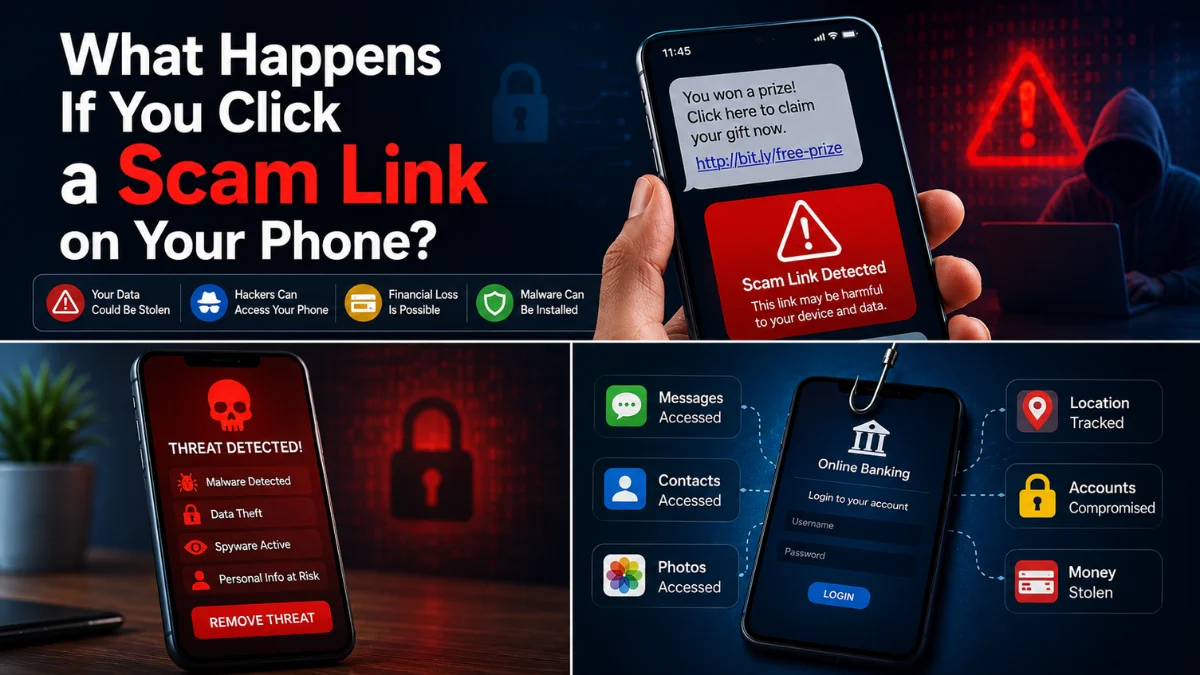
Clicked a Scam Link on Your Phone? Do This Immediately
 By Inflix
 Clicked a scam link on your phone and now feel worried? First, stay calm. Simply opening a suspicious website does not always mean that your Android phone or iPhone has been hacked.
However, the risk becomes more serious if you entered a password, provided bank details, downloaded a file, installed an app or accepted unusual permissions. A malicious website may attempt to steal information, encourage a harmful download or direct you to a fake login page.
Therefore, you should assess exactly what happened and take the correct action immediately. This guide explains what to do after clicking a scam link, how to protect your accounts and how to check Android and iPhone devices for possible threats.
What Happens When You Click a Scam Link?
The outcome depends on the website’s purpose and what you did after opening it.
Some scam links simply take you to a fake website that copies the appearance of a bank, delivery company, social media platform or online store. The page then asks you to enter information such as your email address, password, card number or verification code.
Other links may attempt to persuade you to download an app, configuration profile, document or browser extension. In more advanced cases, malicious web content may try to exploit an outdated browser or operating system.
You can usually divide the risk into four categories:
| What happened? | Likely risk level | What you should do |
|---|---|---|
| You opened the link and closed it | Usually lower | Update your phone and check for downloads |
| You entered a password | High | Change the password immediately |
| You entered bank details | Very high | Contact your bank immediately |
| You installed an app or profile | High | Remove it and check device security |
| You shared a security code | Very high | Secure the affected account immediately |
Clicked a Scam Link but Entered Nothing
If you only opened the page and did not enter information, download anything or approve permissions, the risk is generally lower.
Nevertheless, you should not assume that nothing happened. Close the browser tab and avoid opening the link again.
Next, check your Downloads folder and installed apps. Look for anything that appeared around the time you clicked the link.
You should also update your browser and phone software. Apple recently warned that outdated versions of iOS may be vulnerable to certain web-based attacks triggered through malicious or compromised websites. Therefore, keeping iOS updated remains important even when you did not manually install anything. Read Apple’s official guidance on updating iOS against web attacks.
Afterwards, restart the phone and continue monitoring it for unusual behaviour.
Immediate Steps After You Clicked a Scam Link
Take these actions as soon as possible:
- Close the suspicious page.
- Do not press any more buttons on it.
- Do not call a number shown on the page.
- Check whether a file or app was downloaded.
- Review your browser download history.
- Update your phone and browser.
- Change any password entered on the page.
- Contact your bank if financial details were shared.
- Report the suspicious message and website.
- Monitor your accounts for unexpected activity.
Do not return to the website to investigate it yourself. Instead, keep the original message or take a screenshot for reporting purposes.
Clicked a Scam Link and Entered a Password
If you entered a password, change it immediately using the real app or official website.
Do not use another link from the suspicious message. Instead, open the organisation’s official app or type its known website address directly into your browser.
Create a new, unique password that you do not use anywhere else. Afterwards, enable two-factor authentication where available.
You should also review recent login activity and remove unfamiliar devices or sessions.
If the same password was used on other accounts, change it on those accounts as well. Password reuse is dangerous because one stolen login may allow criminals to access several services.
The NCSC recommends changing passwords immediately when login details have been shared with a scammer.
Start with your most important accounts:
- Primary email account
- Online banking
- Apple Account or Google Account
- Social media
- Online shopping accounts
- Cloud storage
Your email account should receive priority because password-reset messages for other services are normally sent there.
Clicked a Scam Link and Shared Bank Details
Contact your bank immediately using the number printed on your card or the contact option inside its official mobile app.
Explain exactly what you shared. This may include your card number, expiry date, security code, banking login, PIN or a one-time verification code.
Your bank may freeze the card, block online banking access, monitor transactions or issue replacement details.
Do not wait until money disappears. Early contact may give the bank a better chance of stopping suspicious payments.
Also check recent transactions carefully. Report anything you do not recognise, including small payments that may have been used to test whether the card works.
Clicked a Scam Link and Downloaded an App
A scam website may ask you to install a security tool, delivery app, banking update, parcel tracker or support application.
Do not open the downloaded app.
On Android, open:
Settings > Apps > See all apps
Find the recently installed app and uninstall it.
Next, open the Google Play Store and run Play Protect:
Google Play Store > Profile picture > Play Protect > Scan
Google states that Play Protect scans Android devices for potentially harmful apps and checks the safety of new installations.
You should also review whether the app received access to:
- Accessibility services
- Device administration
- Notifications
- Camera
- Microphone
- Location
- Contacts
- Files and media
If the app refuses to uninstall, check whether it has accessibility or device administrator access and remove those permissions first.
Afterwards, restart the phone, install the latest security update and change sensitive passwords from another trusted device.
Clicked a Scam Link on Android
Android users should begin by checking downloads and recently installed apps.
Open your browser’s Downloads section and remove any unfamiliar file. However, do not open the file to inspect it.
Then check:
Settings > Apps > Recently installed apps
The exact menu name may differ between Samsung, Google Pixel, OnePlus and other Android devices.
Next, run Google Play Protect and install any available Android security update.
Google’s official malware-removal guidance also recommends checking for Android system updates, reviewing suspicious apps and keeping Play Protect enabled. Follow Google’s official steps for removing unsafe software.
Additionally, review your browser notification permissions. Scam websites sometimes persuade users to allow notifications, which can later produce fake virus alerts.
In Chrome, open:
Chrome > Settings > Site settings > Notifications
Remove or block any website you do not recognise.
Clicked a Scam Link on iPhone
If you clicked a scam link on an iPhone, close the page and check whether anything was downloaded.
Open the Files app and review:
Browse > Downloads
Delete unfamiliar downloads without opening them.
Next, check for unknown management profiles:
Settings > General > VPN and Device Management
Many personal iPhones will not display a profile here. However, work or school devices may contain legitimate management profiles, so do not remove one unless you know it is unauthorised.
You should also update iOS:
Settings > General > Software Update
If you entered your Apple Account password, change it immediately through Settings or Apple’s official account management service. Apple advises users who believe their account may have been compromised to change the password, review account details and remove devices they do not recognise. Follow Apple’s compromised-account guidance.
Apple also recommends avoiding unexpected links and verifying account warnings directly through official services rather than through messages. Read Apple’s phishing and social-engineering guidance.
Did Clicking the Link Hack Your Phone?
Not necessarily.
Many phishing links depend on convincing the victim to enter information rather than silently hacking the device. Therefore, if you closed the website without entering details or downloading anything, the risk may be limited.
However, you should take the situation more seriously if:
- A new app appeared
- A file downloaded automatically
- Your browser asked for unusual permissions
- Your phone became unusually hot
- Battery or data use suddenly increased
- Unknown devices accessed your accounts
- Password-reset messages arrived unexpectedly
- Your bank reported suspicious activity
For a broader security check, read our guide on how to know if someone is tracking your phone.
You can also review our guide to phone call scam signs to recognise related social-engineering tactics.
Should You Disconnect Your Phone From the Internet?
Disconnecting Wi-Fi and mobile data can temporarily stop a suspicious app from communicating with an external server.
This may be useful if you installed an unknown app, accepted remote access or notice clear signs of malicious activity.
Turn on Airplane Mode and avoid reconnecting until you have reviewed the phone.
However, disconnecting from the internet is not enough by itself. It will not remove a harmful app, change a stolen password or reverse information already submitted.
You must still secure your accounts, remove suspicious software and contact your bank when necessary.
Check Your Accounts for Suspicious Activity
Review the security section of every important account affected by the scam.
Look for:
- Unknown devices
- Login attempts from unfamiliar locations
- Password changes you did not make
- New forwarding rules in your email
- Changed recovery email addresses
- Changed phone numbers
- Unfamiliar payment methods
- Unexpected purchases
Sign out unknown devices and revoke unfamiliar app access.
Also check whether your email account has automatic forwarding enabled. Criminals sometimes create forwarding rules so they can continue receiving security messages even after the password is changed.
What If You Shared a Verification Code?
A one-time verification code is extremely sensitive.
If you shared one, the criminal may have been trying to sign in, reset your password, approve a payment or transfer your phone number.
Immediately open the affected account through its official app or website.
Change the password, review recent activity and remove unfamiliar devices. If the code came from your bank, contact the bank immediately.
If the code came from your mobile network, contact the network and ask whether any SIM replacement, eSIM activation or account change was attempted.
Never share a verification code with someone who contacts you unexpectedly. Genuine support representatives should not need you to read out a code that says it must not be shared.
Should You Factory Reset the Phone?
A factory reset is usually unnecessary when you only opened a scam website and entered nothing.
However, consider a reset when:
- You installed a suspicious app
- The app cannot be removed
- Unknown device management remains active
- Security problems continue after removal
- A trusted security professional recommends it
Back up important photos and documents before resetting.
After the reset, reinstall apps manually from the official app store rather than restoring every unknown app automatically.
You should also create a new screen-lock code and change passwords from a trusted device.
How to Report a Scam Link in the UK
You can report suspicious websites to the National Cyber Security Centre’s scam website reporting service.
The NCSC accepts suspicious URLs even when you are not completely certain that the website is fraudulent. It also advises users not to click further links or enter information on the suspicious site.
For a scam text message, forward the message to 7726. This allows your mobile network to investigate the sender.
Scam emails can be forwarded to:
If money was stolen or fraud took place, report it through Report Fraud in England, Wales and Northern Ireland. In Scotland, contact Police Scotland.
How to Avoid Clicking Scam Links Again
Scam messages often create urgency. They may claim that a parcel cannot be delivered, a subscription will renew, a bank account has been locked or a payment requires confirmation.
Before clicking, ask yourself whether you expected the message.
Check the sender carefully, but remember that names and phone numbers can sometimes be copied or spoofed.
Instead of using the supplied link:
- Open the company’s official app
- Type the website address yourself
- Call a trusted number
- Check your account directly
- Ask the supposed sender through a separate channel
Also keep your operating system, browser and apps updated. Updates often include security fixes that protect against known vulnerabilities.
Final Thoughts After You Clicked a Scam Link
If you clicked a scam link, the right response depends on what happened next.
Opening a page and closing it without entering information is generally less serious than sharing a password, bank details or verification code. Nevertheless, you should still update your phone, check downloads and monitor your accounts.
Change the password immediately if you entered login information. Contact your bank without delay when financial details have been shared. Additionally, remove any suspicious app or profile and review your phone’s permissions.
Most importantly, do not let embarrassment delay your response. Scam messages are designed to appear convincing, and quick action can significantly reduce the damage.
Frequently Asked Questions
What should I do if I clicked a scam link?
Close the website, check for downloads, update your phone and change any password you entered. Contact your bank immediately if you provided financial details.
Can clicking a scam link infect my phone?
It is possible, especially on an outdated device or when the link causes an app or file to be installed. However, many scam links are designed primarily to steal information through fake forms.
Is my iPhone safe after clicking a suspicious link?
Your iPhone may be safe if you only opened the page and entered nothing. Nevertheless, update iOS, check Downloads and review VPN and Device Management for unknown profiles.
What should Android users do after clicking a scam link?
Check recent downloads and installed apps, run Google Play Protect, update Android and remove unfamiliar browser notification permissions.
Should I change my password after clicking a link?
Change it immediately if you entered it on the suspicious page. You normally do not need to change every password merely because the page opened.
Can scammers steal money if I only clicked the link?
Simply opening a link does not normally give a scammer direct access to your bank account. The risk increases if you entered card details, banking credentials or a verification code.
Should I turn off Wi-Fi after clicking a scam link?
You may disconnect the phone if you installed something suspicious or accepted remote access. However, turning off Wi-Fi alone does not remove malware or secure compromised accounts.
Can a factory reset remove malware?
A factory reset can remove many ordinary harmful apps. However, it is usually unnecessary when you only opened a suspicious webpage and did not download or install anything.


